Tutorial
Create a stock listing
List animals you sell by quantity, with a price per unit, stock levels and pickup or shipping.
A stock listing is for animals you sell by quantity with a price per unit: a steady supply of the same kind of animal, for example. For young you've bred and sell one by one, list a group of young instead.
Before you start
- Your profile needs your location, since the rules for every listing follow it.
- For Buy now, set up card payments first: see Connect Stripe to take card payments.
Steps
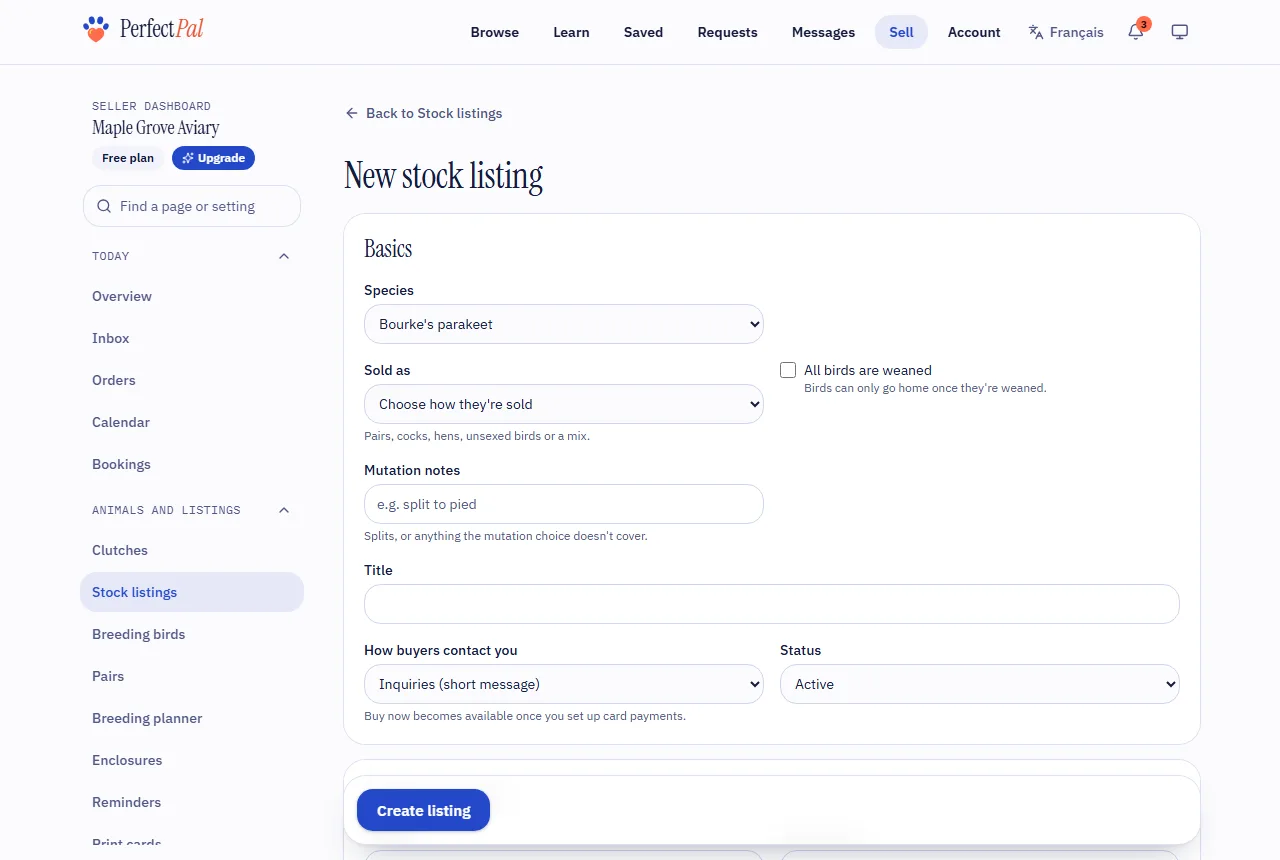
- In the dashboard menu, open Animals and listings › Stock listings and choose New stock listing.
- Under Basics, choose the species (and variety, if you like) and give the listing a title buyers will understand.
- Choose How buyers contact you: Buy now (they pay by card right away), Inquiries (a short message) or Applications (your full form). Which of these you're offered depends on the kind of animal. See Buy now, inquiry or application?.
- Under Price and quantity, say what one unit is in Sold per ("each", "pair", "group of 5"…) and set the Price per unit. Bigger orders cost less lets you add cheaper prices for larger orders.
- Set the Availability (in stock, made to order or out of stock) and, if you count stock, the Quantity available. You can also set the least and most per order, a restock note, and Tell me when this many are left.
- Under Getting it to the buyer, tick Pickup, Shipping or both. Shipping uses your shipping rates and ship days and applies to buy-now orders only. See Shipping and pickup.
- Add a description, photos and, if your plan includes them, a video. The first photo is the cover.
- Choose Create listing.
After you create it
- Status: Active shows it to buyers. Out of stock still shows it, marked as such. Paused and Archived hide it.
- Duplicate makes a hidden copy with the same details, prices and photos, ready to adjust.
- For inquiries and applications, you can switch on deposits, contracts and the gone home photo for this listing under When buyers inquire or apply.
Tip: Have a lot to add? Choose Import them from a spreadsheet on the Stock listings page. See Quantity, stock and editing many listings.
Updated October 19, 2026
Was this helpful?
Still need help?
PerfectPal staff read every message. Tell us what you were trying to do and what happened.
- Buy now, inquiry or application?The three ways buyers can reach you from a listing, and what each one switches on.
- Photos and videos on listingsHow many you can add, what happens to them, and how videos are converted.
- Quantity, stock and editing many listingsHow quantity drives availability, what buyers see during checkout, and how to edit or import many listings at once.
- "Still available?" emails and paused listingsWhy PerfectPal asks whether an untouched listing is still available, and what happens if you don't answer.
- Close or delete a listingWhat happens to open requests when a listing closes, an animal goes, or a listing is deleted, and when an animal comes back.