Tutorial
Subscribe or change your plan
Choose a paid plan, switch plans now or at renewal, and use a promo code.
Only the account owner can change the plan.
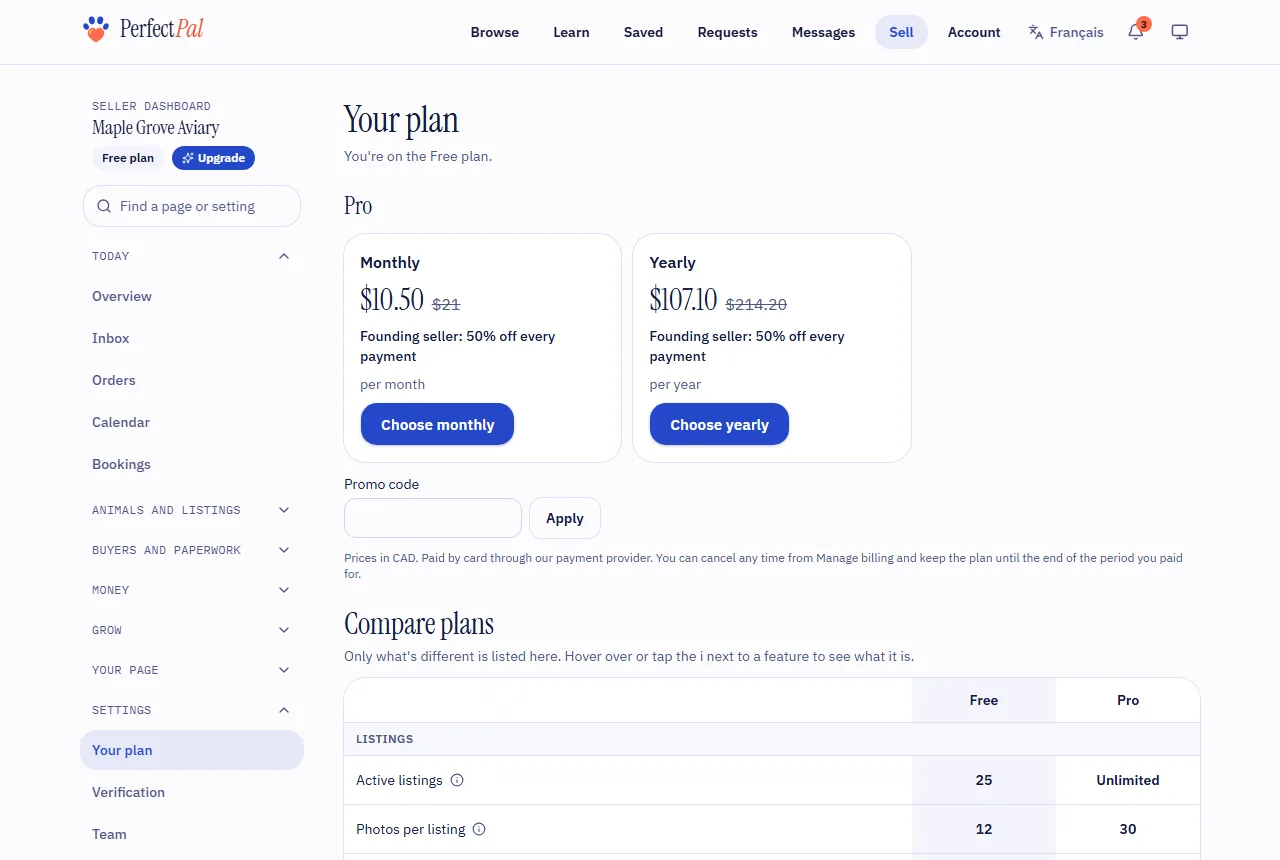
If the page says paid plans aren't available yet, there's nothing to choose: everything you have stays free.
Subscribing
- Open Settings › Your plan.
- Under the plan's options, choose Monthly or Yearly (or Buy lifetime, when offered). The price with tax for your province or state is shown before you pay.
- Have a Promo code? Enter it and choose Apply. A discount on your account (for example from a referral) is used automatically unless you enter a code.
- Pay by card on the secure checkout page.
Your plan updates as soon as the payment is confirmed, usually within a minute.
Switching plans
Under Change plan:
- Choose what to Switch to.
- Choose When: - Now: the new plan starts today. The unused part of what you've paid is taken off, and the difference is charged or credited now. - At my next renewal: nothing changes or is charged until your current period ends.
- Choose See the cost. The page shows exactly what you'll be charged or credited, and the next payment.
- Choose Confirm the switch.
The cost shown is held for a short time; if you wait too long, see the cost again. A switch booked for your renewal can be undone with Keep my current plan until then.
To go back to the free plan, cancel instead: see Manage billing or cancel.
Updated October 19, 2026
Was this helpful?
Still need help?
PerfectPal staff read every message. Tell us what you were trying to do and what happened.
- Plans and limitsWhat decides what you can do on PerfectPal: your plan, combined with your trust level.
- Manage billing or cancelChange your card, see invoices, switch between monthly and yearly, cancel, and how tax is added.
- Refer a sellerShare your link, and earn account credit when a seller you referred stays on a paid plan.
- My plan payment failedWhat happens when a subscription payment doesn't go through, and how to keep your plan.